Table of Contents
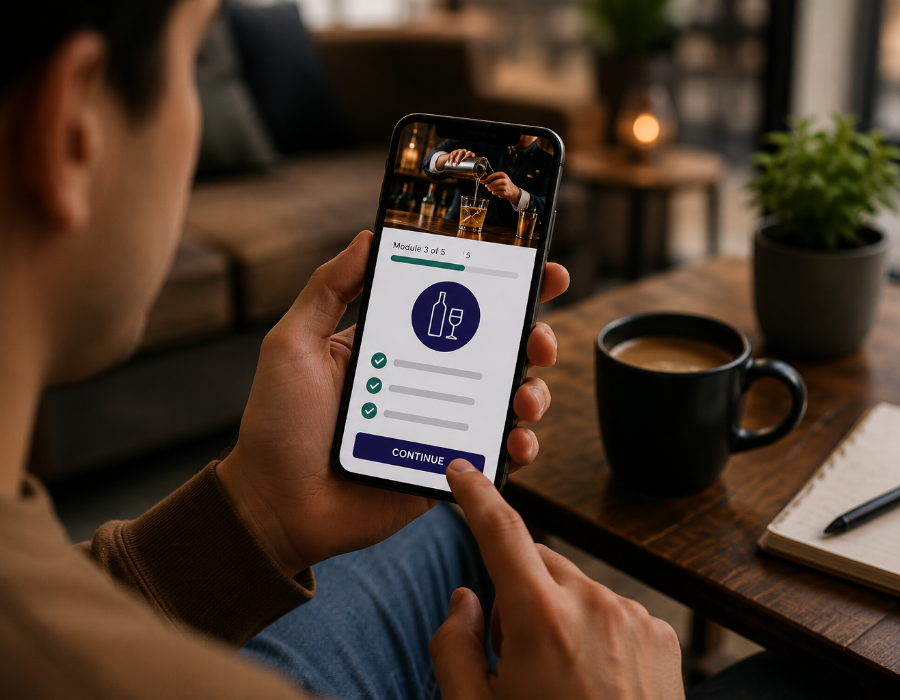
If you’re a bartender or server trying to fit your RBS certification into a busy schedule, your phone may be the only device you have with you. Whether you’re between shifts, on your lunch break, or on the bus home, it’s natural to wonder if you can complete a California RBS course entirely on your phone or if you’ll need a computer.
The short answer is yes. A well-designed RBS course can be completed from start to finish on a smartphone. However, not every provider offers a course that’s truly designed for mobile devices. There’s a big difference between a course that’s simply accessible on a phone and one that’s easy to use on a smaller screen. That difference can affect how quickly and smoothly you finish your training. Here’s what to know and how Serving Alcohol is designed with mobile learners in mind.
Why Mobile Matters So Much for RBS Training
Servers, bartenders, and hospitality staff have some of the least predictable schedules of any workforce. You might be working doubles, picking up last-minute shifts, or juggling a second job. Very few servers have a spare hour at a desktop computer, but almost everyone has a phone in their pocket.
California also requires new hires to complete RBS certification within 60 days of their start date. That’s a real deadline, and it can be difficult to meet if you only have time to study on a computer. A mobile-friendly course makes the process much more convenient. You can start during a break, pause when your shift begins, and continue on your bus ride home or whenever you have time.
What “Mobile-Friendly” Actually Means (And What It Doesn’t)
This is where many people get confused. Plenty of providers let you open their course in a mobile browser, but that’s not the same as a course that’s designed to work well on a phone. A truly mobile-friendly RBS course should include:
- Responsive Design, Not Just a Shrunk-Down Desktop Site: A mobile-friendly course automatically adjusts text, buttons, and quizzes to fit a smaller screen. If you have to pinch and zoom just to read a paragraph or tap the Next button, it’s a good sign the course wasn’t designed for mobile. It was likely built for desktop and simply adapted to work on a phone.
- Save-and-Resume Functionality: Life happens. Your shift starts, your phone dies, or you get a call. A properly built mobile course should automatically save your progress so you can close the app or browser and pick up exactly where you left off no lost progress, no starting over.
- Works on Any Device, Any Browser: You shouldn’t need a specific phone model or a particular browser app to get through the course. Whether you’re on an iPhone using Safari or an Android device using Chrome, the course should behave the same way.
- No Downloads or App Installs Required: Some providers require you to download a dedicated app just to take the course, which adds friction, storage space, and login hassle. A browser-based course you can access instantly, without installing anything, is a much smoother experience, especially if you’re on a limited data plan or an older device.
- Touch-Friendly Navigation: Buttons, quiz answers, and menu items should be sized for a thumb, not a mouse cursor. If you’re constantly mis-tapping the wrong answer because buttons are too small or too close together, that’s a real usability problem, not just a minor annoyance.
- Reliable Video and Audio Playback: If the course includes video or audio content, it needs to stream smoothly on mobile data, not just Wi-Fi, since many learners will be completing training on the go using their cellular connection.
Common Mobile Frustrations With Lower-Quality Providers
If you’ve ever tried to complete an online course on your phone and hit any of the following, you already know the pain points:
- Text so small you have to zoom in on every single page
- Quiz answer buttons that overlap, making it easy to accidentally select the wrong answer
- Videos that buffer endlessly or won’t play at all on mobile data
- Losing your progress entirely if you accidentally close the browser tab
- Being logged out mid-course and having to start the section over
- Layouts that only work in landscape mode, forcing you to awkwardly rotate your phone throughout
These aren’t hypothetical problems. They’re common complaints about older or poorly maintained e-learning platforms that were originally built for desktop use and only loosely adapted for mobile years later.
How Serving Alcohol Handles Mobile Training
Serving Alcohol’s California RBS course was built with exactly these frustrations in mind. Here’s what that looks like in practice:
- True Cross-Device Compatibility. The course works seamlessly on your phone, tablet, or computer, so you can start on your laptop at home and finish on your phone during a break without any disruption.
- Fast Completion Time. Most learners complete the entire course in about 1–2 hours a manageable chunk of time to fit into a single break, commute, or slow afternoon.
- No App Download Needed. You access the course directly through your phone’s browser. There’s nothing to install, no extra storage used, and no separate login system to manage.
- Self-Paced, Start-Stop Flexibility. Because the course saves your progress, you can pause the moment your shift starts and resume later without losing your place.
- Clean, Simple Interface. Text, navigation, and quiz questions are designed to be easy to read and tap accurately on a small screen no awkward zooming or mis-taps.
- English and Spanish Options. Whichever language you’re most comfortable learning in, the mobile experience is built to match, so language never becomes a barrier..
- Direct State Reporting. Once you finish the course your completion gets submitted directly, so there’s no extra desktop-only step waiting for you at the end.
In short, you can genuinely start and finish your entire RBS certification using nothing but your phone, from registration guidance all the way through course completion.
Tips for Completing Your RBS Course on Your Phone
Even with a well-built mobile course, a few small habits make the experience smoother:
- Use Wi-Fi when possible for any video content, to avoid using up mobile data or dealing with buffering on a weak signal.
- Keep your phone charged, or complete the course somewhere you can keep your phone plugged in. A dead battery is one of the most common interruptions, and it’s easy to avoid.
- Find a quiet moment, even just 30–60 minutes, rather than trying to complete it in scattered five-minute increments between tasks. This helps you actually retain the material, not just click through it.
- Keep your Server ID and login details handy in your phone’s notes app so you’re not searching for them mid-course.
- Don’t rush the content. RBS training exists to genuinely prepare you for real situations, checking IDs, spotting intoxication, understanding liability, not just to check a box. Take the time to actually absorb it, even on a smaller screen.
Why This Matters Beyond Convenience
Being able to complete your RBS training on your phone isn’t just a nice convenience for many servers. It’s the difference between meeting the state’s 60-day certification deadline and falling behind on it. A course that only works well on a desktop effectively excludes anyone without easy computer access, which describes a large portion of the hospitality workforce. Mobile accessibility is, in a very real sense, part of what makes a training provider genuinely usable for the people who actually need the certification.
The Bottom Line
Yes, you can complete your California RBS training on your phone, but only if your provider has designed the course for mobile users instead of simply making a desktop course viewable on a smaller screen. Before you enroll, look for responsive design, save-and-resume functionality, no required app downloads, and touch-friendly navigation.
If you want a course designed for real servers with busy schedules, Serving Alcohol offers a California RBS course that’s fast, mobile-friendly, and available in both English and Spanish. You can complete the training in about 1 to 2 hours from wherever you are.
Disclaimer: This article is for general informational purposes only and does not constitute legal advice. RBS registration steps, course requirements, and timelines are specific to California and may differ for other states’ alcohol server certification programs. Always confirm current requirements directly through the California ABC RBS Portal or your state’s regulatory body before enrolling in a course.