---
title: "Clear Cache in Safari on iPhone or iPad"
description: "This article explains how to clear cache and cookies in [Safari](https://www.apple.com/safari/) on an iPhone or iPad. From the home screen, tap the **Settings** button. 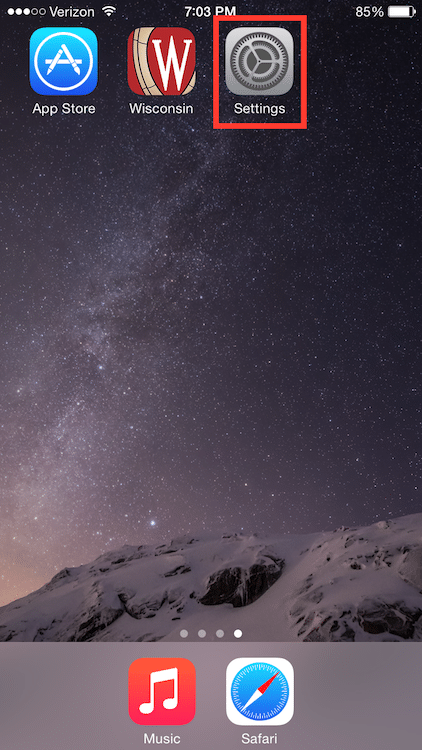 On the Settings screen, scroll down and tap the **Safari** button.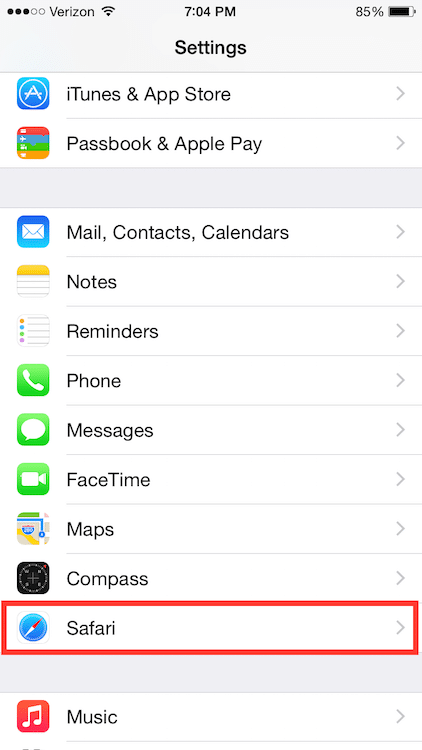 …"
url: "https://servingalcohol.com/kb/cache/clear-safari-ios/"
updated: "2026-05-14"
category: Clear Browsing Data
---
# Clear Cache in Safari on iPhone or iPad
This article explains how to clear cache and cookies in [Safari](https://www.apple.com/safari/) on an iPhone or iPad.
From the home screen, tap the **Settings** button.

On the Settings screen, scroll down and tap the **Safari** button.
Under the 'Privacy' section of the Safari screen, tap the button labeled **Clear Cookies and Data**.
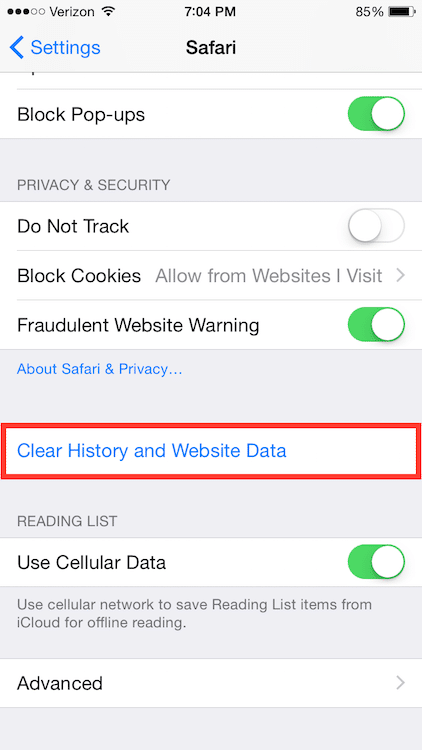
On the confirmation screen, tap **Clear History and Data**.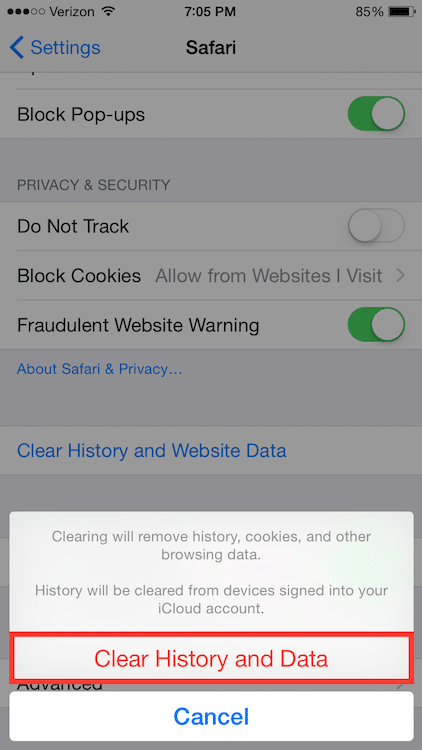
After you clear your Internet cache, close your web browser.
- - Next, open the [Safari](https://www.apple.com/safari/) web browser again.
- Log in to the course from our homepage at **[ServingAlcohol.com](https://servingalcohol.com/)**.
- Click the **[Sign In](https://servingalcohol.com/ecomm/#/login)** button at the top of the page.
- Enter your email address and password. If you used the Google Login with your Gmail, use that instead.
- After login, click on the name of the course in red.
- On the next page, click on the **Enter** button.
- Select the **Last Visited Page** button.
[](/ecomm/#/reg/login)