---
title: "Clear Cache in Firefox on Windows"
description: "This document explains how to clear the cache and cookies from [Mozilla Firefox](https://www.mozilla.org/en-US/) on Windows. - - Click the **Menu** (three stacked horizontal lines) in the upper right-hand corner of your screen. - Then click **Settings**.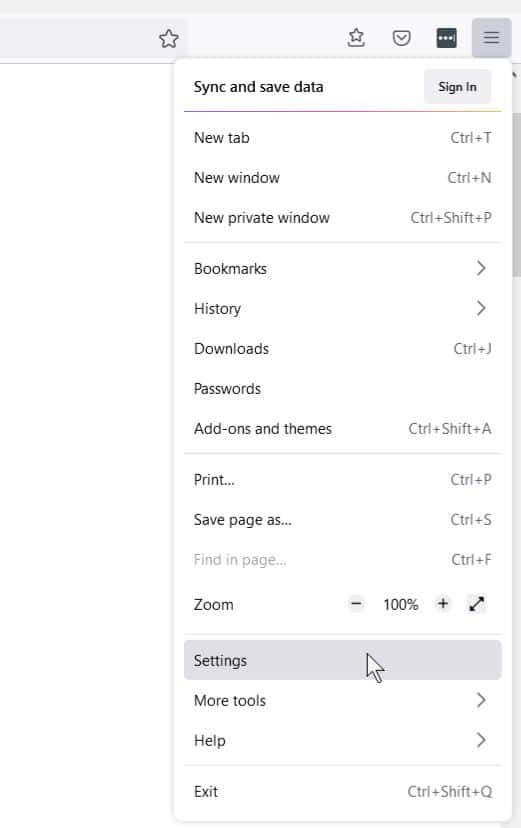 - - On…"
url: "https://servingalcohol.com/kb/cache/clear-firefox-windows/"
updated: "2025-03-24"
category: Clear Browsing Data
---
# Clear Cache in Firefox on Windows
This document explains how to clear the cache and cookies from [Mozilla Firefox](https://www.mozilla.org/en-US/) on Windows.
- - Click the **Menu** (three stacked horizontal lines) in the upper right-hand corner of your screen.
- Then click **Settings**.
- - On the left side, select ******Privacy & Security.******
- Then click **Clear Data**.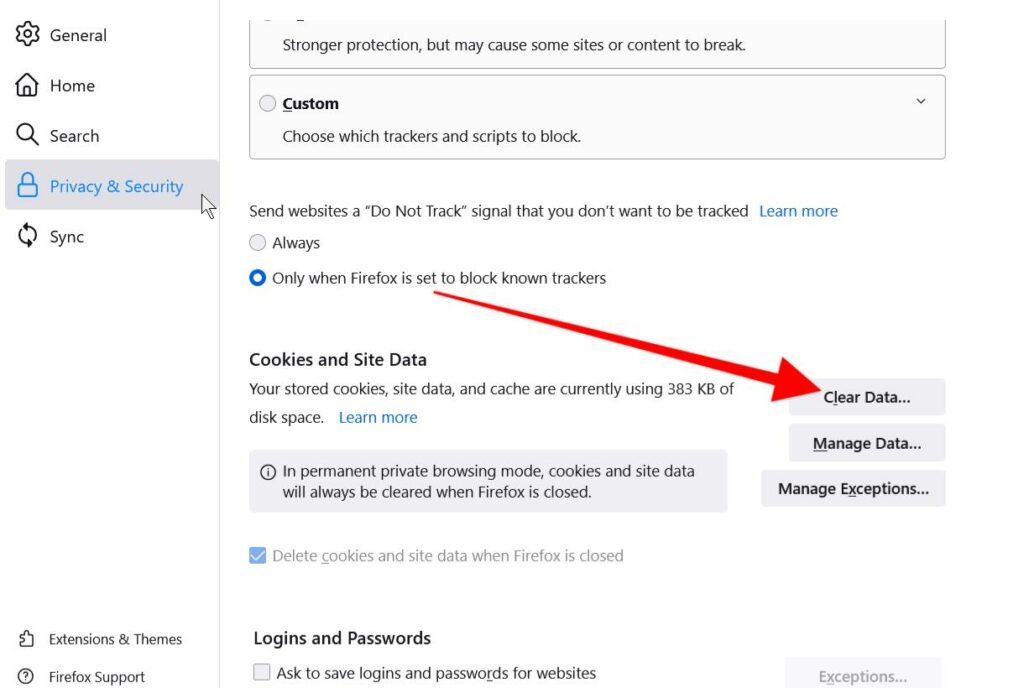
- - On this page, scroll down to **Cookies and Site Data** & **Cached Web Content**
- Click on the **Clear**button.
- Last, click on the **Clear Now** button.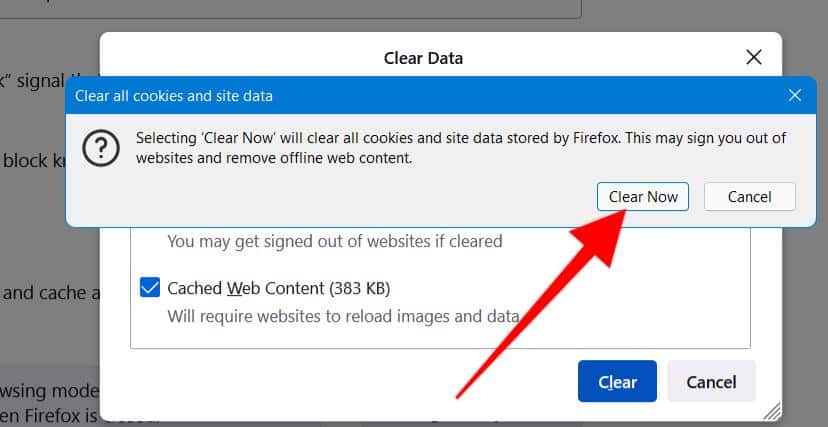
- After you clear your Firefox Browser cache, close your web browser.
- Next, open your [Firefox browser](https://www.mozilla.org/en-US/) again.
- Log in to the course from our homepage at **[servingalcohol.com](https://servingalcohol.com/)**.
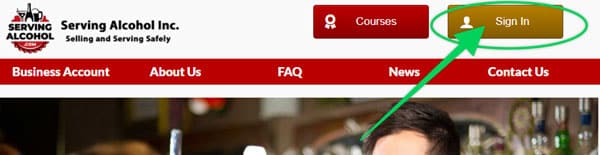
- Click the **[Sign In](https://servingalcohol.com/ecomm/#/login)** button at the top of the page.
- Enter your email address and password. If you used the Google Login with your [Gmail](https://mail.google.com/mail/u/0/#inbox), use that instead.
- After logging in, click on the course name in dark red.
- On the next page, click on the **Enter** button.
- Select the **the Last Visited Page** button to return to where you last left the course.
[](https://servingalcohol.com/ecomm/#/login)
**NOTE**: You can also clear cache and cookies using the legacy **Clear Recent History** menu by holding **Ctrl **+ **Shift + Del**.